DNS Taskbar
Keep DNS resolver latency visible in the macOS menu bar and inspect records without leaving the utility.
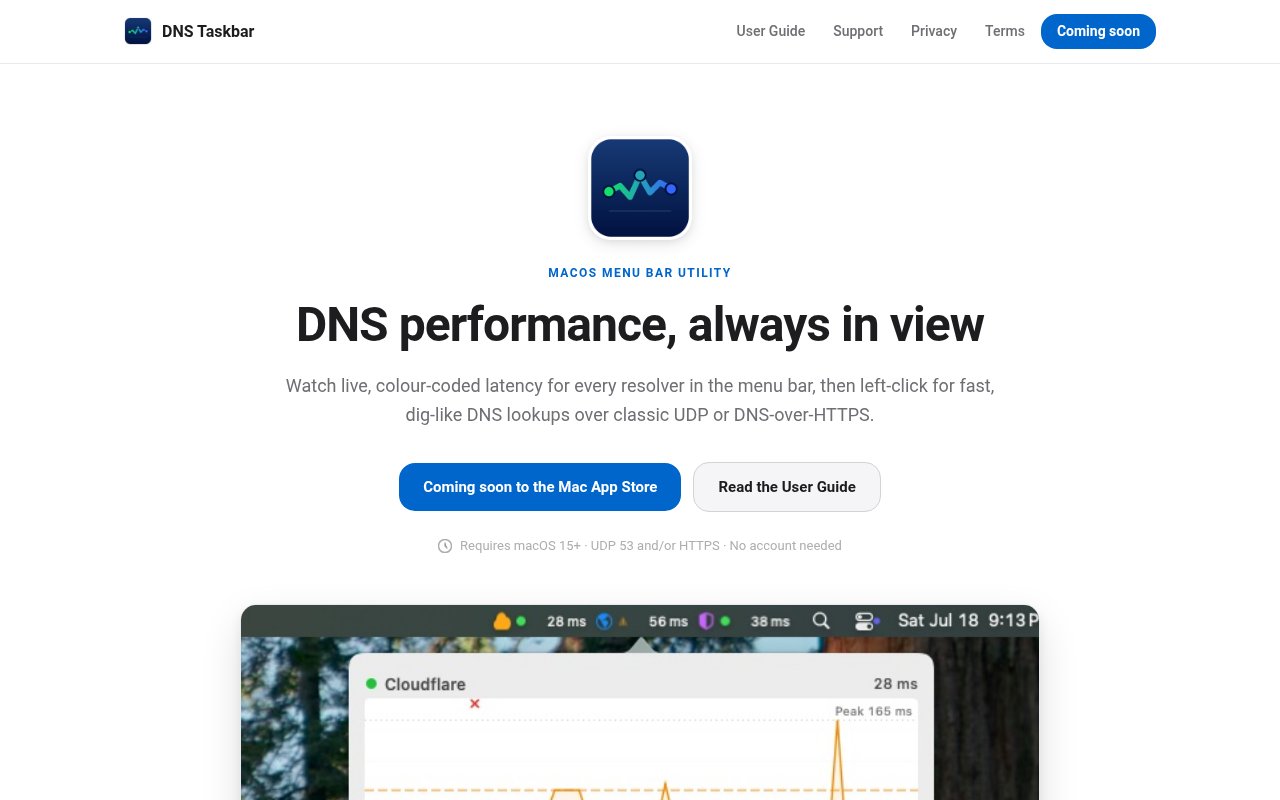
Slow name resolution feels like a slow network. DNS Taskbar keeps a millisecond figure for the resolvers your Mac is actually using in the menu bar, colour-coded against thresholds you set, so the guess becomes a number before you start blaming the wifi.
What it does
- Measures classic UDP DNS on port 53 and wire-format DNS-over-HTTPS side by side, including connection overhead
- Records a timeout as loss instead of substituting a latency value
- Shows a 15-minute graph on hover, and current, average, p95, peak, jitter, and loss over ranges up to seven days
- Looks up A, AAAA, CNAME, MX, TXT, NS, SOA, CAA, PTR, and SRV records with their TTLs, from a domain, URL, or IP
Honest numbers
Timing comes from a monotonic clock and covers the real round trip from this machine, not a server’s idea of how fast it answered. An answer only counts if it matches the question that was asked. Those two rules are the difference between a latency graph you can act on and a decorative one.
Configuration and history stay in macOS user defaults on the Mac. No account, no cloud service, no analytics, no cookies.
For record and delegation investigation beyond a quick lookup, see DNSBin.ca.